Sales reports
Every sale you record from the calculators, added up: what you took in, what your materials cost, and what your hours actually earned.
Watch the general tutorialRecord your sales
When a piece sells, tap "Record a sale" in its calculator. Drafts aren't counted, so your reports only hold real sales.
Pick a period
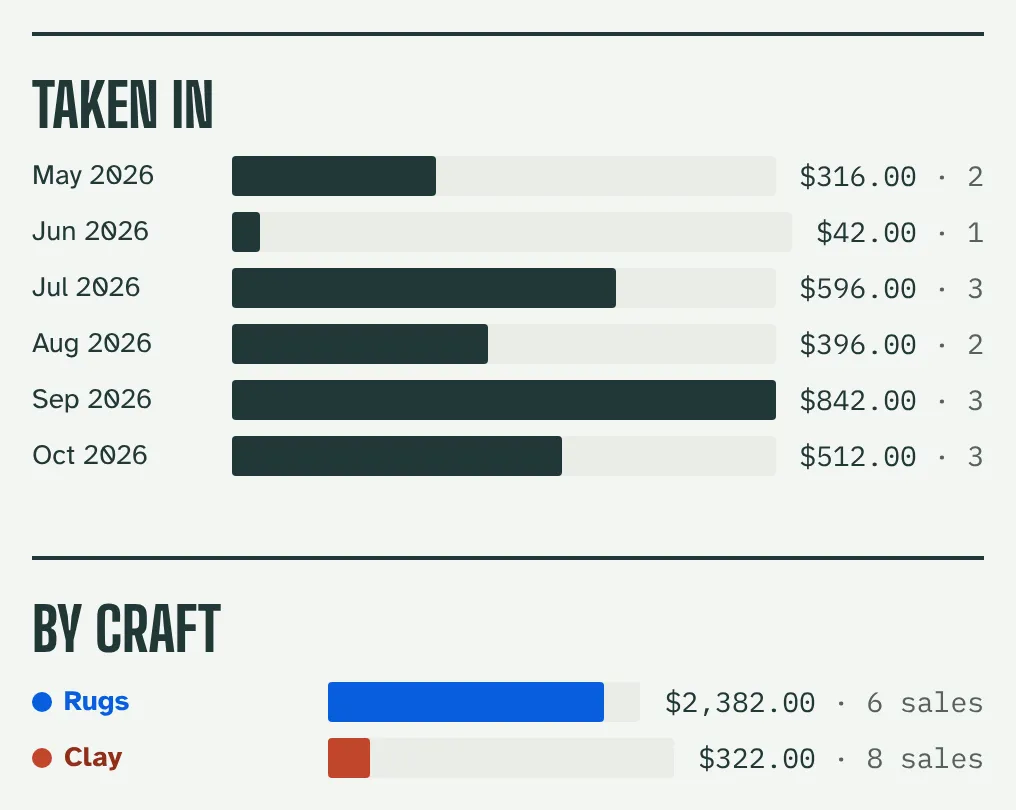
Look at the last 7 days, 6 months, 4 quarters or 3 years. See money taken in for each day, month or year, and which craft brought it in.
Know your numbers
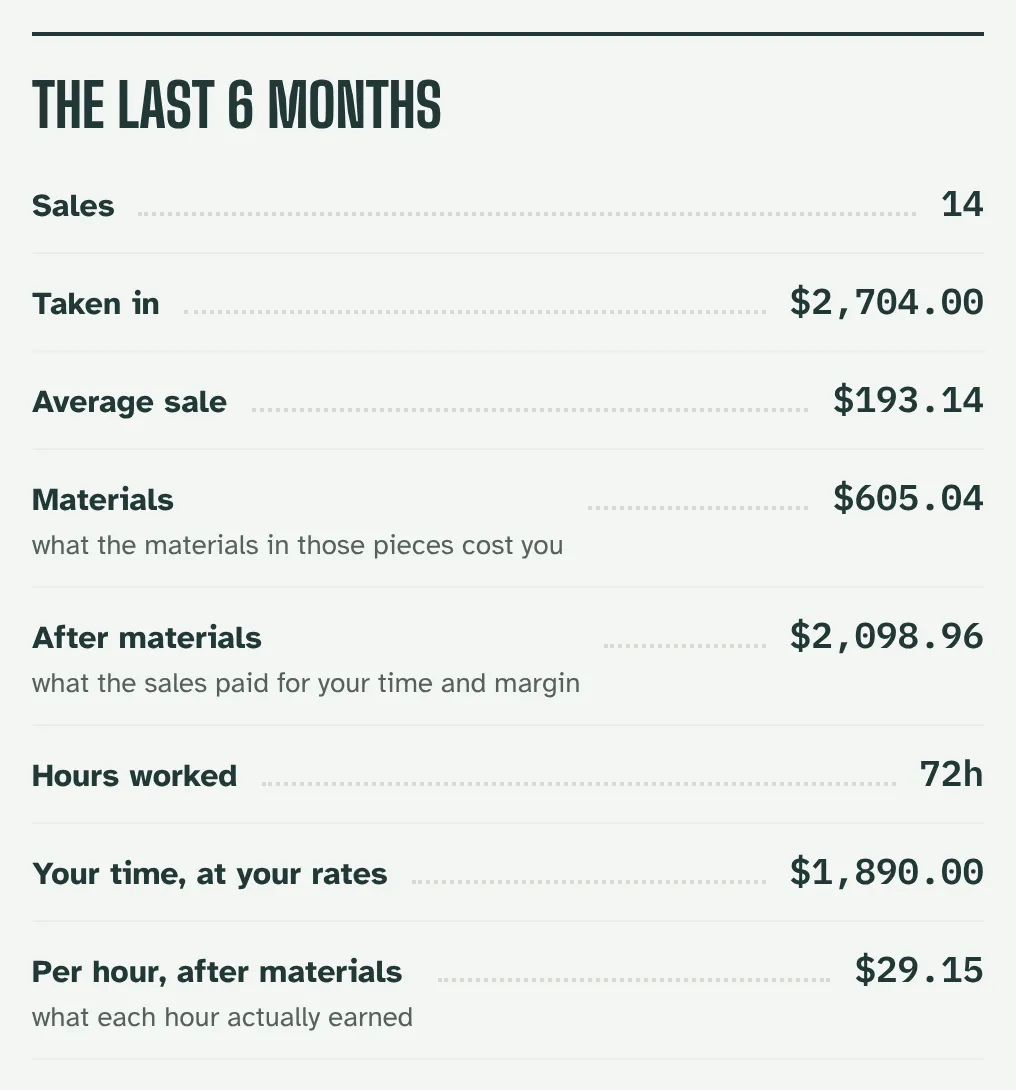
See your number of sales, average sale, materials cost, what's left after materials, hours worked, and what each hour earned. Download the sales as a CSV for your records.
See where your materials go
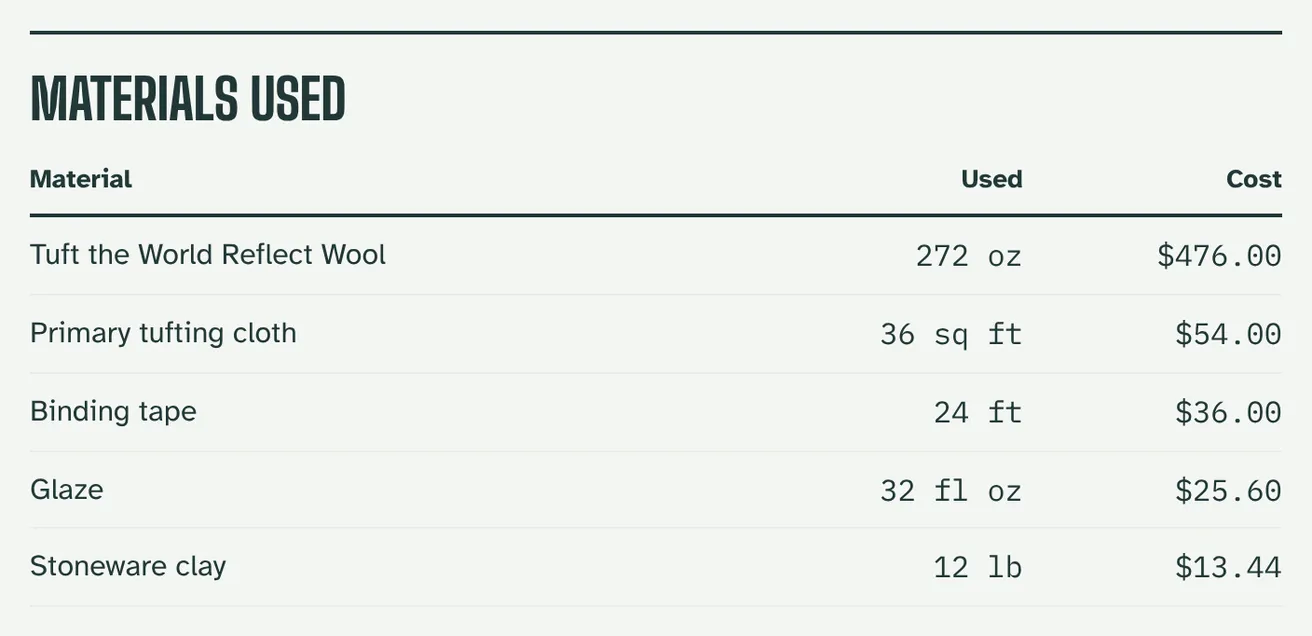
See which materials you used most across your sales, how much of each and what it cost, to plan your next order.
Ready to see your numbers?
Sales reports come with the Expert and Studio Pro plans, and with every 10-day free trial.
See plans